Minecraft
Guides
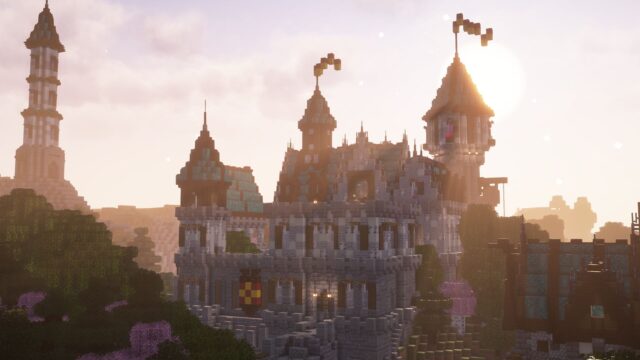
Ray tracing and Vibrant Visuals in Minecraft Bedrock Edition is grayed out from the start, here is how you can enable them.
The addition of the Vibrant Visuals update in Minecraft Bedrock Edition has somehow caused issues with the RTX ray tracing features in the game. On top of that, the RTX feature is officially discontinued by Mojang. This means there won’t be a fix for this issue anytime soon.

However, there are workarounds that you may do to enable RTX. If you don’t want to go through the hassle, you can simply enable Vibrant Visuals in Minecraft. It works similarly to RTX Mode but is more optimized for less lag.
With that said, here is a guide on how you’re able to enable both ray tracing and Vibrant Visuals in Minecraft Bedrock Edition.

News
All you need to know about Creaking, the Weeping Angels of Minecraft
What are the Creaking in Minecraft and why are they called the Weeping Angels?
John Dave T. Rossel
How to enable Ray Tracing in Minecraft Bedrock Edition
To enable ray tracing for Minecraft Bedrock Edition, follow this step-by-step guide:
Once you are done, RTX Mode should be enabled on your world. Sometimes it will not work and will do your in-game textures. When this happens, you can head back to the main menu and deactivate Vanilla RTX, then reactivate it before loading up your world again. Do this multiple times until it loads properly.

How to download the latest Minecraft Beta and Snapshot for Java and Bedrock Edition
If you want to be ahead of what’s new in Minecraft, here is how you can download the Beta and Preview updates for Java and Bedrock Edition.
Related articles
How to enable Vibrant Visuals in Minecraft Bedrock Edition
Unlike ray tracing with RTX, Vibrant Visuals is easier to enable in Minecraft Bedrock Edition. Here is a step-by-step guide on how to do it:
Once that’s done, your game should have better graphics quality. You can tweak it further, like adjusting Bloom or shadow quality. However, it is advisable not to ramp up the settings to max as it can be resource-intensive for your system.

How to install shaders in Minecraft Java and Bedrock Edition
If you want to take the graphics for Minecraft Java and Bedrock Edition to the next level, here is how you can download and install shaders.
Ray tracing vs Vibrant Visuals: Which is better?
Vibrant Visuals is way better in terms of performance in Minecraft Bedrock Edition than ray tracing. RTX Mode does provide a more flashy type of visuals, but it can cause a lot of performance issues in the game. Vibrant Visuals, on the other hand, are optimized and keep the core vanilla vibe of the game while adding a bit of realistic lighting and reflections.
Needless to say, the choice will depend on your preference and hardware. If you have a high-end system, you can easily handle ray tracing from RTX Mode. Otherwise, Vibrant Visuals should be good enough for you.

Are ray tracing and Vibrant Visuals available in Minecraft Java Edition?
Unfortunately, RTX ray tracing and Vibrant Visuals are not available in Minecraft Java Edition. However, you’re able to use a 3rd-party shader packs that try to mimic what an RTX Mode does in the game. However, keep in mind that they are more resource-intensive than the default ones found in Bedrock Edition.
For moreMinecraft Java and Bedrock Editionnews and guides, stick around onesports.gg.